0
0



- Home
- Products
- Plasma/Corona/Flame
- Corona Treaters
- Sheet Corona Treater/Wide Web Corona Treater
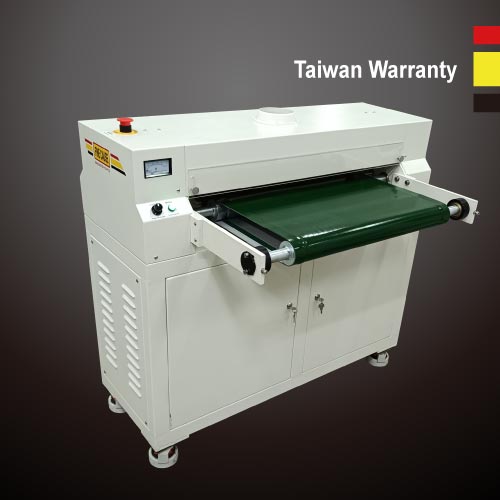


Corona Treaters
Sheet Corona Treater/Wide Web Corona Treater
- Features
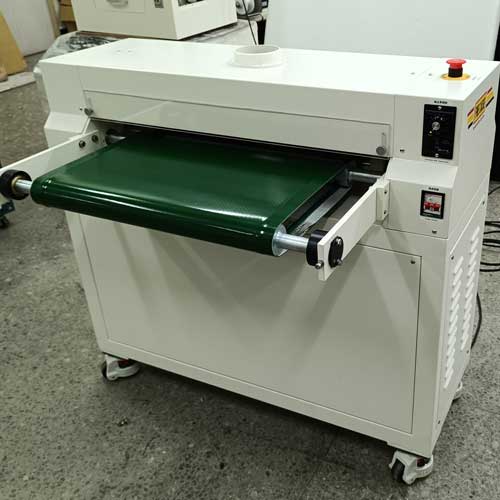
- Corona treatment machine specifically designed for sheet materials, such as plastic sheets, aluminum foil, glass sheets, synthetic paper, non-woven fabrics, and non-conductive sheet materials.
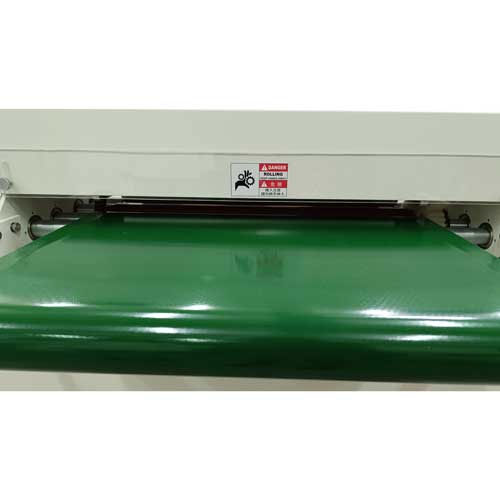
- The sheet corona treatment machine allows for adjustment of the baffle height according to the material thickness.
Description
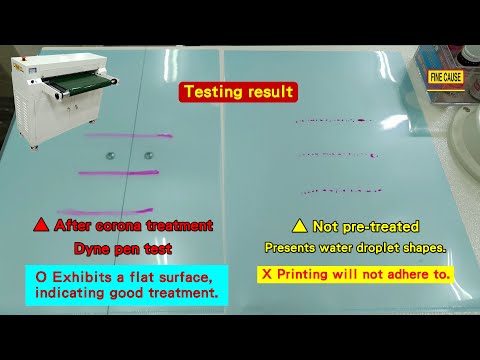
This sheet corona treater, specifically designed for surface treatment of sheet materials, is an excellent pre-printing preparation tool. Corona treatment alters surface tension and improves ink adhesion.
Sheet Corona Treater/Wide Web Corona Treater-FC-P40
-
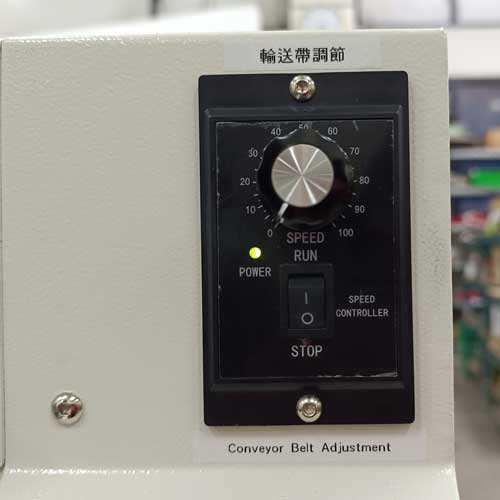
Speed adjustable corona treater - speed can be freely adjusted.
-
Front and rear conveyor belt is connection type.
-
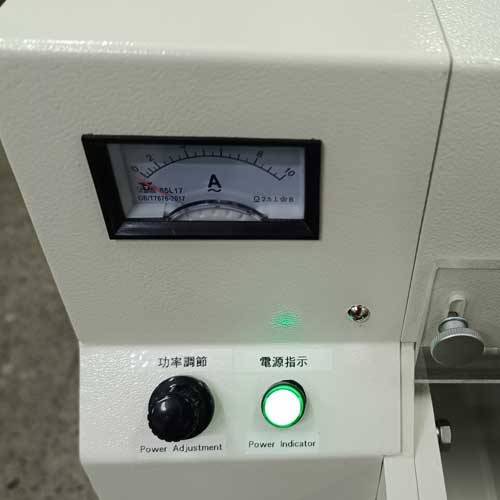
Corona flow control: adjust corona intensity from the power adjustment knob
-
Corona treatment range can be customized.
-
Applying corona treatment before printing can change the surface tension and improve ink adhesion.
-
This sheet corona treatment machine has an ozone exhaust port.
-
The blocking plate height can be adjusted according to the thickness of the object.
Instructions for use
-
After completing the equipment positioning, perform a thorough check to ensure correctness. Make sure there are no remaining tools or debris in the workspace.
-
Place the power switch in the downward (off) position.
-
Connect the power supply AC220V.
-
Turn on the "power switch", the "power indicator" should illuminate.
-
Turn on the "conveyor switch" and then rotate the "speed control knob" clockwise. At this point, you should see the conveyor running from slow to fast. There should be no signs of jamming, halting, or other issues.
-
Take a piece of untreated object and place it on the conveyor belt. The object should enter from one end of the conveyor and exit from the other end smoothly, without any abnormalities during the conveying process.
-
Rotate the "power adjustment" knob clockwise. You should see a row of blue lights (corona sparks) at the conveyor outlet. At this point, the corona treatment machine is successfully activated and operational.
-
Place the object flat with its processing side upwards on the entrance of the conveyor belt. Take out the corona-treated object from the exit, and then test the surface tension of the object. Based on the test results, adjust the speed and the power to reach the desired effect.
-
In case of an emergency, press the emergency stop button to halt the operation of the equipment.
Specifications
| FC-P40 Sheet Corona Treater | |
|---|---|
| Machine Size: | L950*W1050*H1000mm |
| Max. Corona Range: | 400mm (Corona treatment range can be customized.) |
| Available Thickness: | Sheets within 4mm |
| Conveyor Belt: | 500mm * 1050mm (Connection Type ) |
| Conveyor Belt Speed: | Adjustable |
| Corona Power Adjustment: | 0~3KW |
| Input Voltage: | 220V |
| Output Voltage: | 15KV |
| Working Frequency: | 10~25KHz |